The Invoice feature allows users to manage invoice information, apply for invoices, download invoices, and modify invoice details.
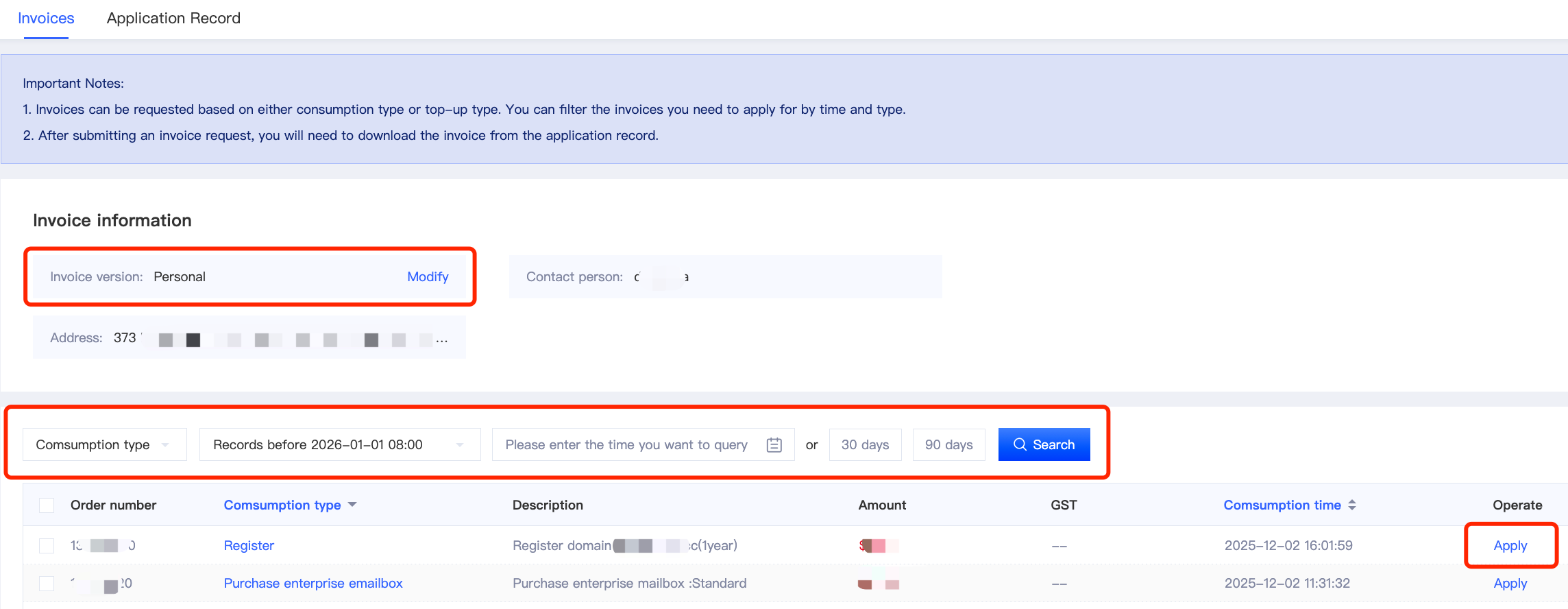
1. Invoice Information Settings
Two billing types are supported: Personal and Enterprise.
Users can click [Modify] to change the billing type, enter the required billing information, and submit the changes.
2. Invoice Application
Users can apply for invoices for both Account Recharge and Consumption Records.
You can filter the relevant records by selecting a date range and transaction type. After completing the search, select the records you need and submit your invoice application.
3. Download Invoices
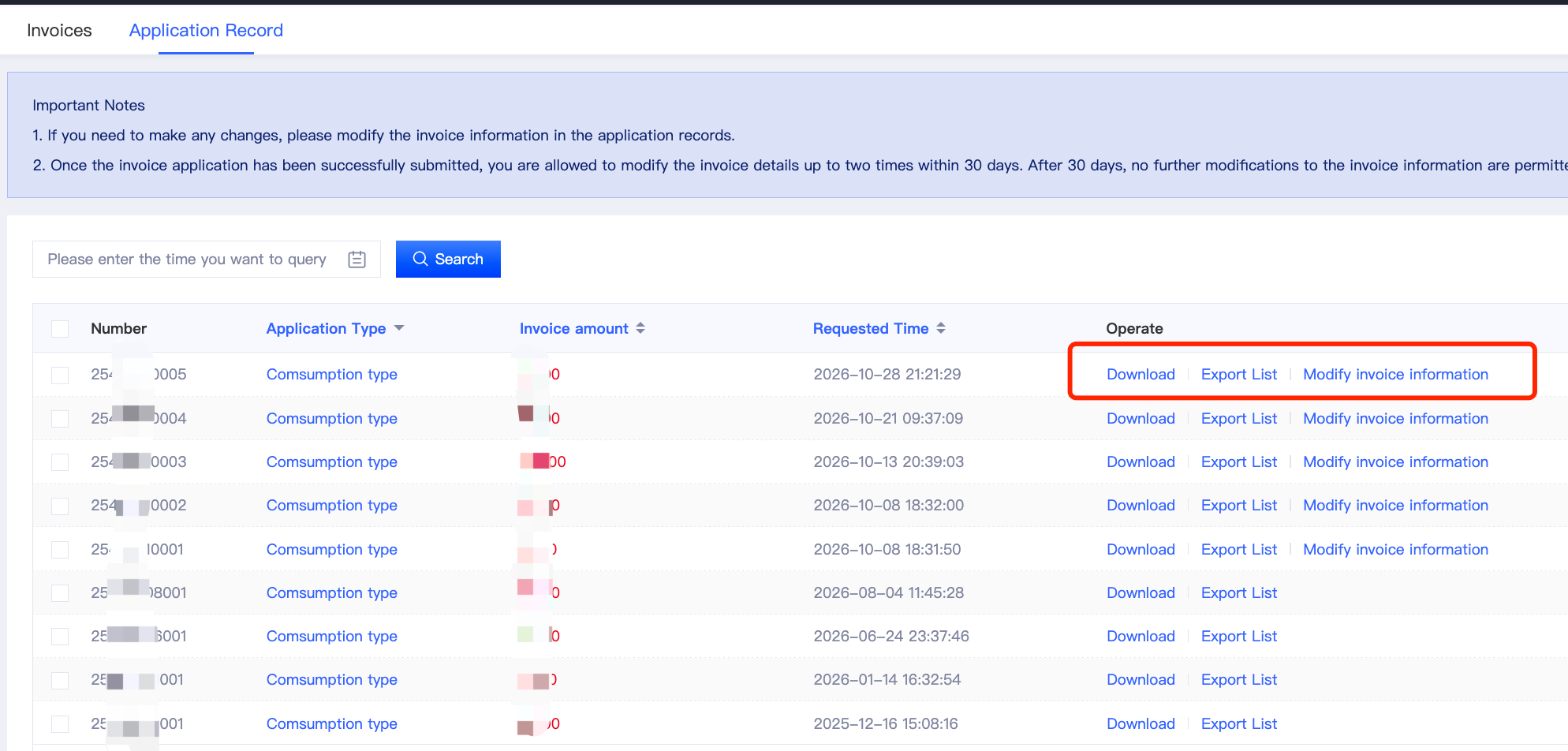
Once your invoice application has been approved, go to the [Application Record] page to view your application records and download the corresponding invoices.
4. Modify Invoice Information
If you need to modify your invoice information, go to the [Application Record] page to make the necessary changes.
Within 30 days after an invoice application is approved, you can modify the invoice information up to 2 times.
After 30 days, the information on the issued invoice can no longer be modified.
Friendly Reminder
Before submitting an invoice application, please ensure that your billing type and all related information are accurate to avoid any issues with your application or subsequent use of the invoice.
If you have any questions or suggestions regarding the Invoice feature, please feel free to contact our online customer support team. We will be happy to assist you.